

Showing posts with label webcam. Show all posts
Showing posts with label webcam. Show all posts
Friday, 2 January 2015

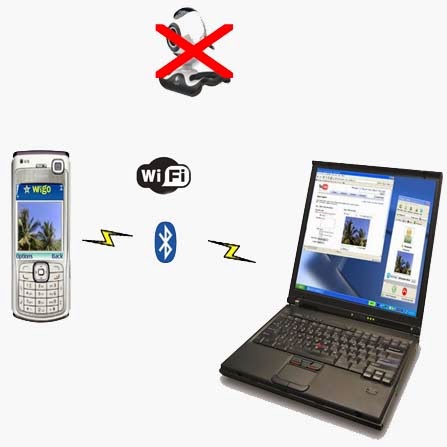
Dear TricKoManiac Readers today I am going to tell you How To Use Mobile Camera As A WebCam.....
Step1:- Install Windows [EXE] (SmartCam.exe on your PC and Install)
Step2:- Install Smartcam on your Mobile (Symbian S60 2nd Edition [SIS], S60 2nd Edition, JME [JAR], Windows Mobile [CAB], Android [APK]
Step3:- Start up SmartCam on your PC and go to >>> File >>> Settings and check your connection and proceed >>> next step.
Step4:- Start SmartCam on your phone and go to >>> Options >>> Connect and it will ask you for server name and you need to type your PC IP address or your system name..
f YOU don't know your IP address then,
>>> go to RUN >>> type CMD >>> type ipconfig
"OR"
>>> go to Google >>> type "my ip address"...
Subscribe to:
Posts (Atom)
Popular Posts
-
 1. First go to Flip Text 2. Then Enter your text. 3. Then Copy your stuff.
 -
Note: This Article Is Not For Noobs! Learners Are Welcomed! This Article Is For Educational Purposes Only, Any Misuse Of Information Give...
-
SyntaxNet: Neural Models of Syntax. Installation Running and training SyntaxNet models requires building this package from source. Yo...
-
 Here is a simple trick for you that will enable the registry editor which is disabled by administrator. Just follow the steps as give...
 -
First Stuff is "LOGS". You need to know how events, application, and system logs work. If you don’t, you can be easily caught by...
-
WhatsApp, a widely used social messaging application can simply be crashed by specially crafted message sent to you from a friend. This ...
-
 Just hold down the Shift key and right-click on the desktop. And then you can choose “Open Command Window Here” from the menu. T...
 -
This article is a quick, comprehensive guide on setting up your newly installed KaliLinux2.0 (very attractive new GUI by the way) for secu...
-
Here is a simple trick for you that will enable the registry editor which is disabled by administrator. Just follow the steps as give...
-
Here is a very interesting trick to hide text inside your windows default text editor"Notepad" using command prompt, but this t...


